Marketing and texting
Posting upcoming shows to social media and email, and sending tickets by text.
Marketing posts
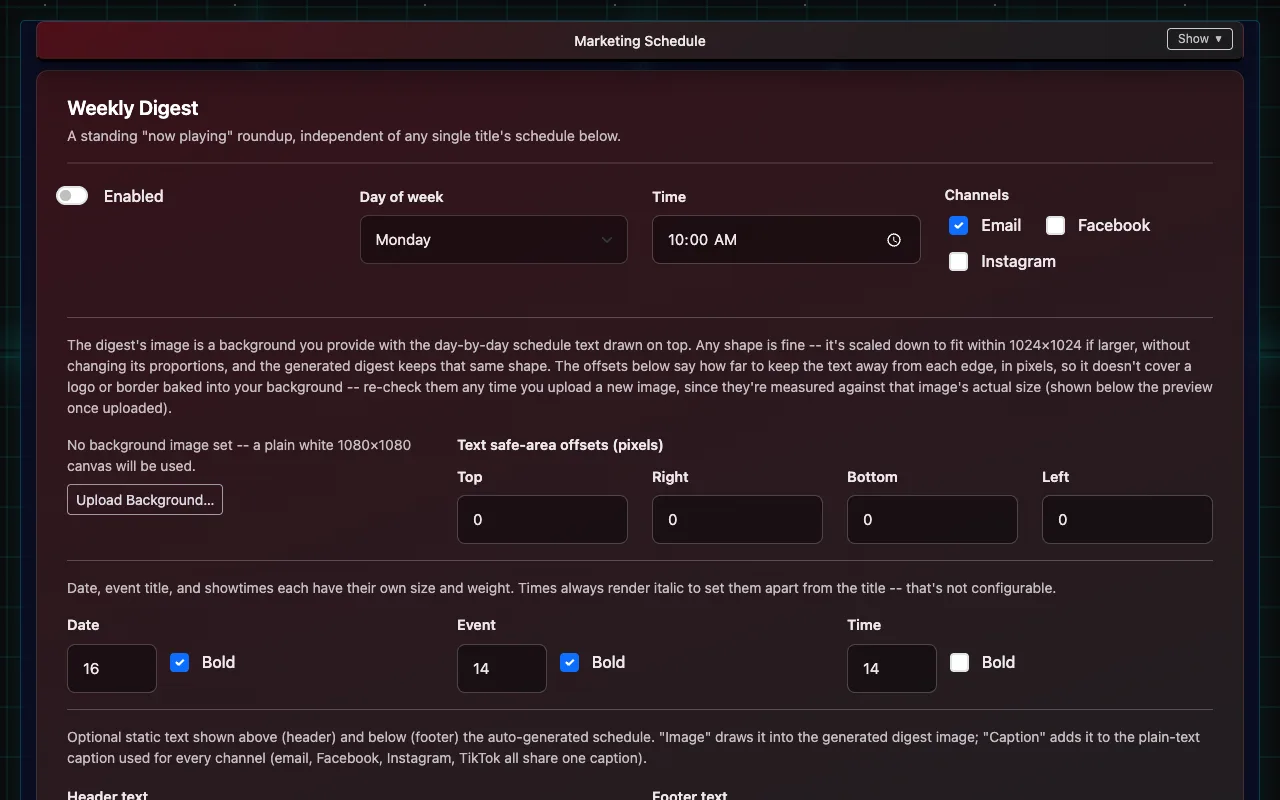
The Marketing Schedule plans posts for each movie or event on email, Facebook and Instagram (TikTok is waiting on TikTok's approval of IndieTix). You need marketing permission.
- Open Marketing Schedule. Your upcoming Square items are listed under Campaign Schedules.
- Open an item's schedule and choose when posts go out (for example an announcement, reminders and opening day). Presets cover common patterns.
- IndieTix makes a draft for each post. Open Marketing Posts (in the menu, or from the summary at the bottom of Marketing Schedule) to read them. Edit changes the caption or replaces the image.
- Approve the posts you want: Approve on one post, tick several and choose Approve selected, or Approve all drafts for this show. Each asks first and says how many posts it will approve. Nothing posts until someone approves it; approved posts go out at their scheduled time (Central time).
Marketing Posts has four tabs: Needs review (drafts) and Scheduled (approved) list the soonest first; Sent and Problems (failed or skipped) list the newest first. Posts are grouped by show, a page at a time, and can be narrowed by show, channel, dates or caption text. Sent posts are kept as history and can't be deleted.
- Captions start from the item's Square description, followed by the price and ticket link. They can be written by AI instead, if turned on for that schedule.
- The picture is the item's image in Square. Instagram pictures are fitted to Instagram's allowed shape automatically.
- Weekly Digest sends a "what's playing" roundup on the day and time you choose.
- Facebook and Instagram need the venue's Meta Page Access Token, Facebook Page ID and Instagram Business Account ID in Client Settings → Social Media Integration. Instagram must be a business or creator account linked to the Facebook Page.
Email list
Email List holds your marketing email subscribers: add an address, search, and see who's unsubscribed. Ticket emails go to every buyer regardless; marketing emails only go to people on the list, and every one has an unsubscribe link.
Text-message tickets
- Buyers can choose to get their tickets by text. The ticket email includes a link to opt in; once someone has opted in, later tickets are texted automatically.
- Only one text is sent per ticket: the ticket itself. No marketing texts.
- Anyone can reply STOP to stop texts from that venue, START to turn them back on, or HELP for help.
Why texting isn't on straight away
US phone carriers require every business that sends texts to register first (called "10DLC"). Each venue gets its own registration, phone number and opt-out list, so one venue's texts never affect another's.
- Registration needs the venue's business details, sample messages and a description of how people opt in, and the carriers review it. Approval usually takes 1 to 4 weeks.
- Carriers charge a small monthly fee for each registration, paid by the venue.
- Until it's approved, tickets go by email only; nothing else changes.
A person from IndieTix helps each venue through registration.